Photos
JPG, PNG, WebP, GIF, BMP and HEIC
Shown full screen.

CastHero
Cast to TV
A casting helper for your television. Your own photos, videos and music, from your phone to the big screen.
Live On Google Play for Android TV and Google TV. The Amazon Appstore listing for Fire TV is being prepared.
Install it on the television itself from the Play Store app on the TV, or open the listing on your phone and choose the TV as the device to install to.
Want a note when the Fire TV listing opens? Write to castheroapp@gmail.com.
Coming Both listings are still being prepared.
The app is built and tested on real hardware, and neither store listing is up yet, so neither button installs anything today. The buttons are here so the addresses are on the record, not because there is something to download.
The Google Play address is the one this app will be published at. Follow it before publication and Google will say the page was not found. The Amazon address is not assigned until the listing exists, so that button goes nowhere at all.
Want a note when they open? Write to castheroapp@gmail.com.
This is the store description, word for word, so that the page you are reading and the listing you came from say exactly the same thing.
The store description, unedited
CastHero turns your television into a receiver for the photos, videos and music you already have. Send them from your phone or computer over your home Wi-Fi and they play on the big screen within seconds. There is no account to create, no pairing code, no sign-in, and nothing to set up on the TV.
CastHero is a casting helper: a tool that connects your phone to your television and shows your own media there. The app contains no video, audio or image material of its own. Everything that appears on the screen is something you chose and sent from your own device.
Send a whole list of photos, videos and songs and CastHero plays them back to back, like a photo album on the big screen. Choose fade, slide or zoom transitions and how long each photo stays, or set the timing to zero and move through the album yourself with the remote. A holiday, a birthday, a year of pictures: the moments you already have, at the size they deserve.
The title, the time played and the time remaining are one press away. The arrows skip 15 seconds, and 30, 45 and 60 when you keep pressing; hold one down to scrub. Play pauses and resumes. In an album, left and right move between items. Back returns to the home screen.
Links you have cast from the internet stay in a Recent row on the home screen, so the same thing is one press away next time. The row lives on the TV, it never includes anything served from a device on your own network, and you can clear it whenever you like.
Android TV and Google TV sets and streaming boxes. The same phone, computer or web caster reaches every television CastHero runs on; see casthero.app for the other platforms.
CastHero has no account and no sign-in, shows no ads, sells nothing and collects nothing. There is no tracking and no analytics. Your media plays straight from your own device to your TV over your own network and is never uploaded anywhere. The Recent row is the only thing the app keeps, and it keeps it on the TV.
Free, with no ads and no in-app purchases. Visit casthero.app for the apps and tools that send media to CastHero.
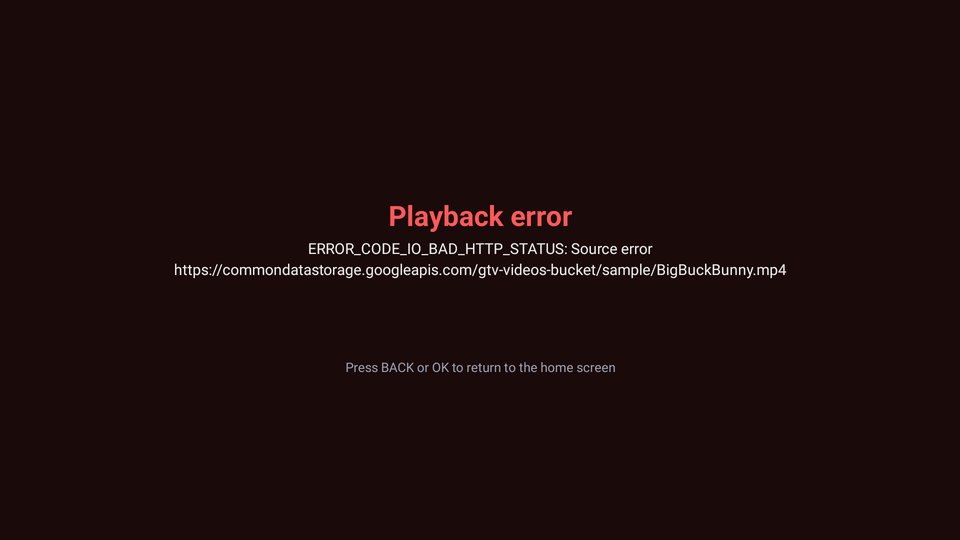
Playback depends on the decoders built into your TV or streaming box. Some formats and codecs are not available on every device, and protected or DRM-locked files cannot be played. When something cannot be played, CastHero says so on screen instead of failing quietly.
The screenshots and the in-app demo use openly licensed sample media: Big Buck Bunny and Sintel by the Blender Foundation, CC BY 3.0; SoundHelix Song 1 by T. Schürger, from soundhelix.com; and photographs from Unsplash. Full credits are at casthero.app/android-tv.
Android TV and Google TV are trademarks of Google LLC. CastHero is an independent product and is not affiliated with, endorsed or sponsored by Google.
Captured on a 4K Android TV set. Every frame is the app’s own interface showing sample media CastHero is licensed to display; see the credit at the foot of this page.
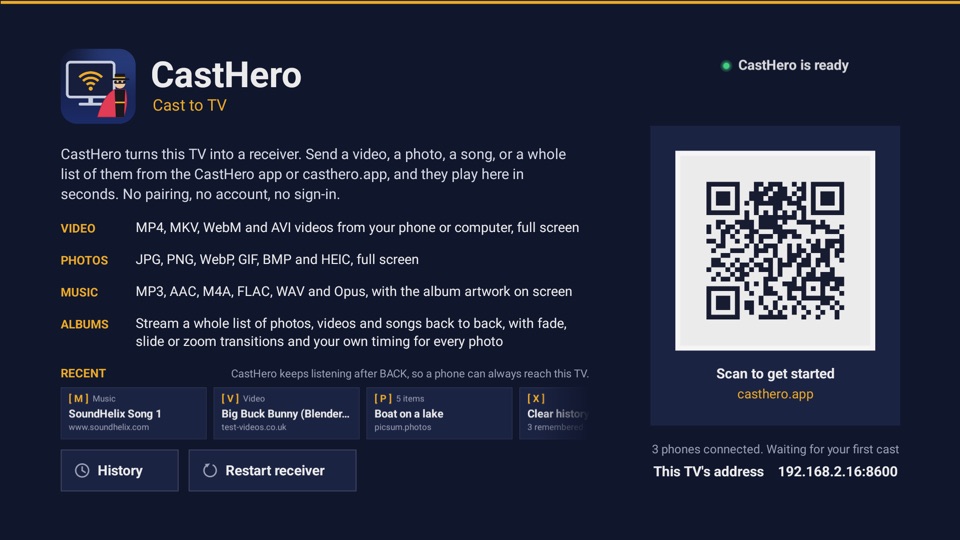
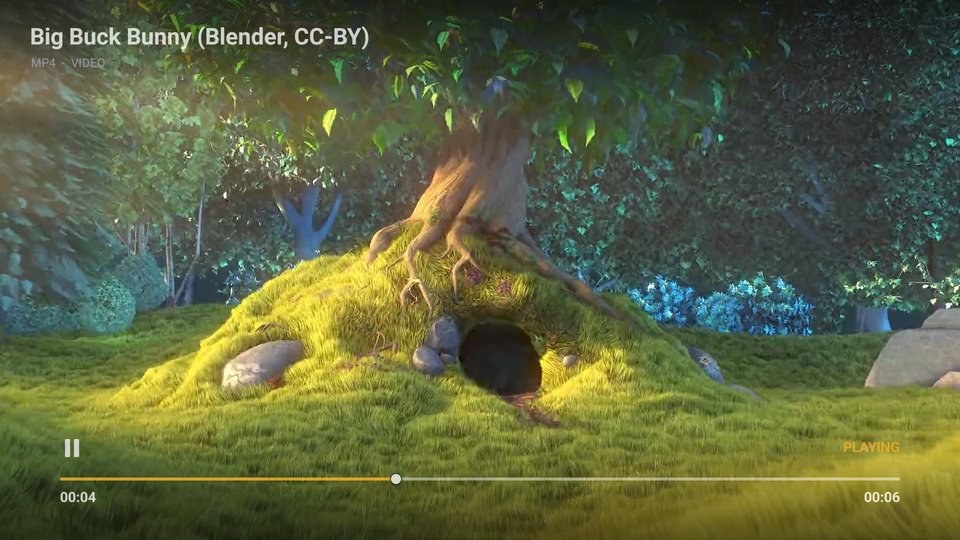

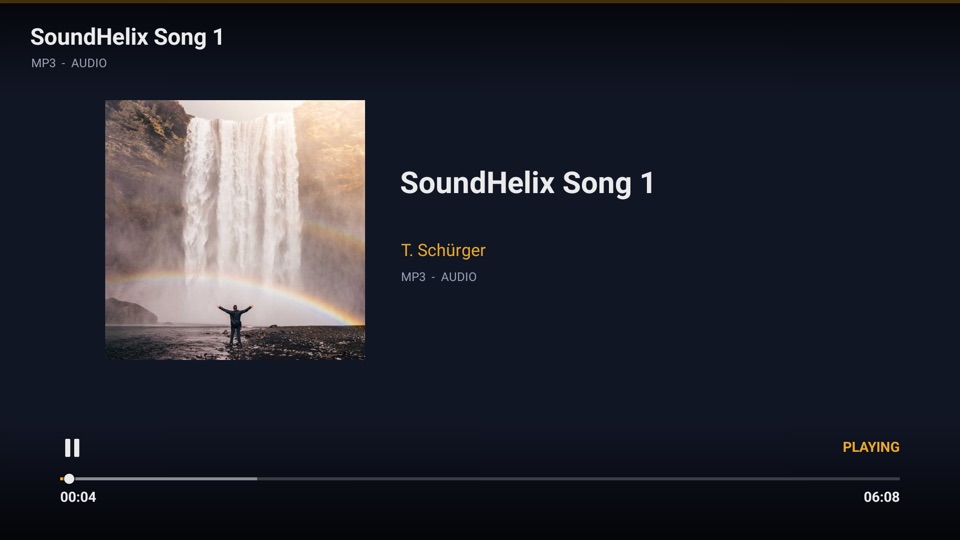
Three steps, once. Everything happens on your own Wi‑Fi.
From the store on the television itself, or from the store on your phone. There is nothing to sign in to and nothing to configure.
Neither listing is open yet, so this step is the one you cannot do today.
The home screen shows this television’s name and its address on your network, so you know which TV you are about to send something to.
Leave it there. CastHero receives while its screen is on the TV, and pressing BACK on the home screen closes it, so open it first and then cast.
From a phone or a computer on the same Wi‑Fi, choose the television and press Cast.
The CastHero phone app is still in development. The web caster for Android TV and Fire TV works today in Chrome on a computer or a phone.
The same list the store listing gives, because it is the same app.
JPG, PNG, WebP, GIF, BMP and HEIC
Shown full screen.
MP4, MOV, MKV, WebM and AVI
Files from your phone or computer.
MP3, AAC, M4A, FLAC, WAV and Opus
With the album artwork on screen.
Playback depends on the decoders built into your TV or streaming box. Some formats and codecs are not available on every device, and protected or DRM‑locked files cannot be played. When something cannot be played, CastHero says so on screen instead of failing quietly.
There is no account and no sign-in, and the app collects nothing: no analytics, no advertising identifiers, no crash reporting, and no server to send any of it to.
Your media is never uploaded anywhere. The television fetches it from the address your own phone or computer gave it, over your own network.
The Recent row is the only thing the app keeps, it is kept on the television, and you can clear it from the home screen whenever you like. The full privacy policy covers all of this in detail.
Sample media shown in the screenshots and in the app’s demo is used for demonstration only. The video clips are from the Blender Foundation open movies Big Buck Bunny and Sintel, © Blender Foundation, used under the Creative Commons Attribution 3.0 licence. The sample song is SoundHelix Song 1 by T. Schürger, from soundhelix.com, used under the permission SoundHelix grants for its audio examples, which asks for credit to SoundHelix and the artist. The sample photographs are from Unsplash, used under the Unsplash License, by Oleksii Topolianskyi, Philippe Wuyts, Andrew Ridley, Matthew Henry and Jared Erondu. None of these creators endorse CastHero.